dxf-DR — click a flat face, get a DXF
The second Web Tool — open a STEP file in a browser tab, click the flat face you want, and export it as a DXF. Nothing is uploaded.
dxf-DR does one job: open a STEP file, click the flat face you want, and export it as a DXF. It now does that in a browser tab, with no install and no upload — the file you open never leaves your machine.
Cutting a part on a laser, a router or a waterjet needs one flat outline, not a solid model. The outline is already in the STEP file, and pulling it out usually means opening a CAD seat you may not have in front of you, tracing a sketch on the face, and exporting that. This is the shortcut for the times that is the whole job.
Two ways to flatten a part
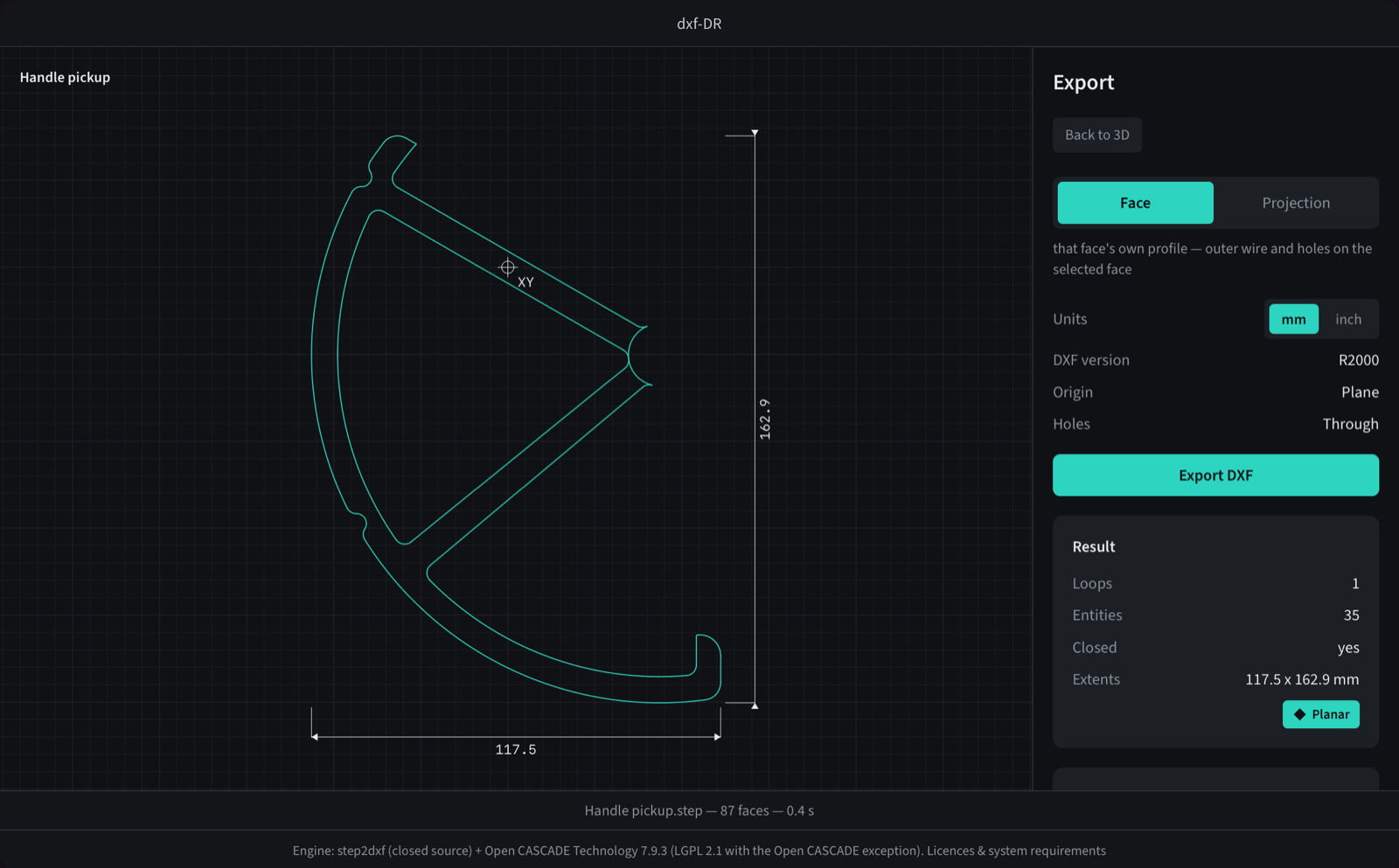
Face gives you that face's own profile — its outer wire and the holes that break it. That is what you want when the face is the part: a plate, a bracket flange, a gasket.
Projection gives you the full outline as seen from that face's plane, which includes geometry outside the face itself. The widest points of the whole body, no depth. That is the blank you cut before machining the rest, and the shape you hand somebody who has to fit around your part.
Either way the DXF holds real geometry — lines, arcs, circles and ellipses, not a polyline traced around a curve. Units are mm or inch, and the switch scales the file and writes the units into its header rather than just relabelling it.
Nothing is uploaded
Same rule as SolidOut. The page loads the step2dxf engine compiled to WebAssembly and reads your STEP file locally — there is no upload endpoint, no queue and no copy of your geometry on a server, because there is no server doing the work.
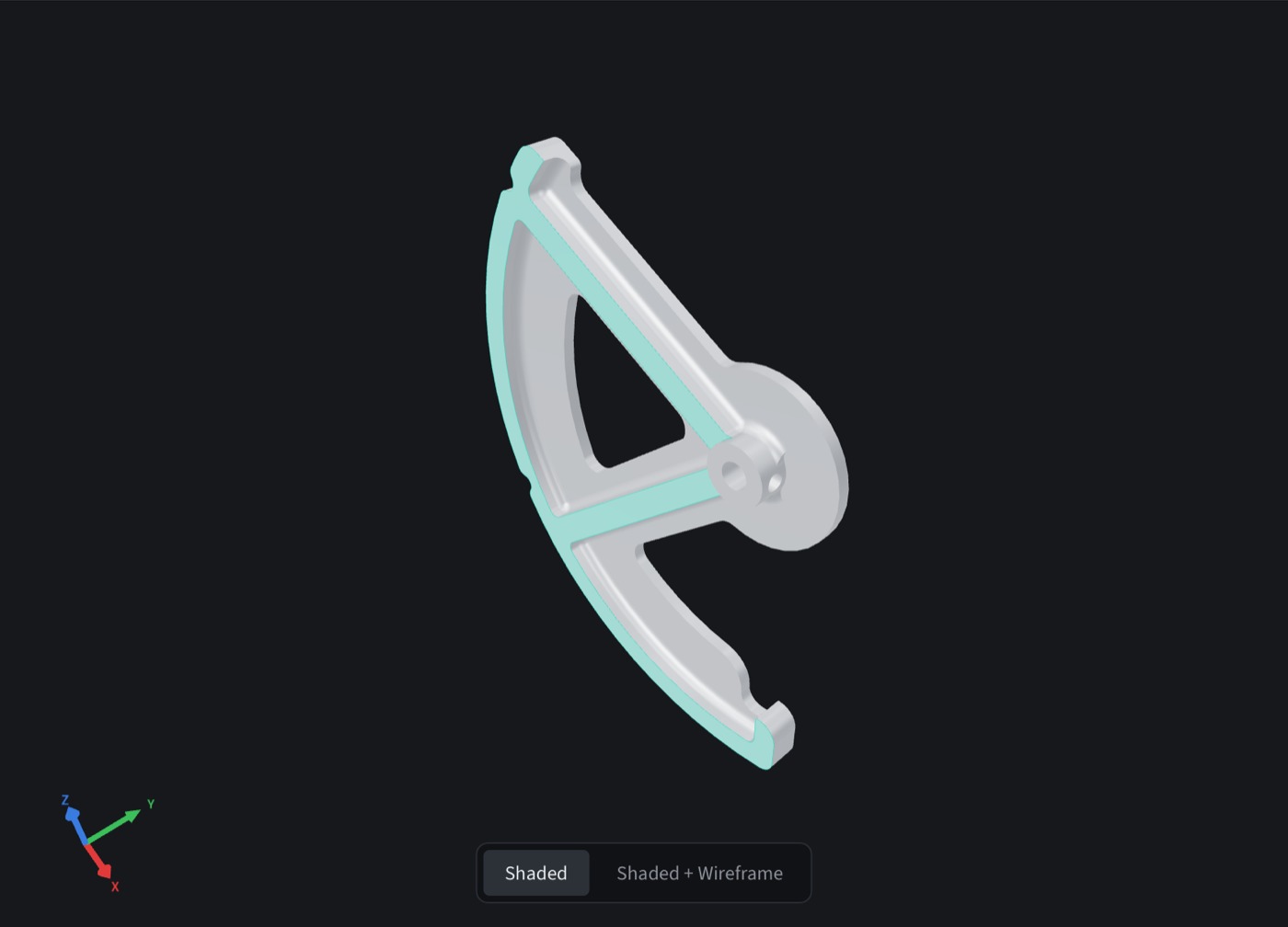
It is also the same engine, not a cut-down one. The part in these screenshots exports from the browser byte-for-byte identical to the file the command-line build writes for the same face — checked with cmp, not assumed.
Projection is capped, on purpose
Projection is not cheap. It runs hidden-line removal, an arrangement pass and a ray classification per cell, single-threaded in the tab, with no cancel button. A 314-face part measured 81 seconds in Safari.
So the page counts faces first. Above 313 it refuses the run and points you at the desktop app; below it you get the cost warning before anything starts. A tab that looks hung is the failure that guard exists to prevent — better an honest no than a spinner.
Face mode has no such problem. The 87-face part above comes back in about half a second.
Where it lives
Under Web Tools in the nav, next to SolidOut, at makerinparadise.com/dxf-dr/.
The desktop builds for macOS and Windows are on GitHub at BlinkingSun/dxf-DR — that is the path for big parts, for projection above the ceiling, and for anything you would rather not do one file at a time.
The engine is closed source and sits on Open CASCADE Technology 7.9.3; the licences and system requirements are linked from the bottom of the tool page.